
Birdfy
Netvue, Inc.Video Players & Editors
4.3818.00 Reviews
- Version
- 1.20.10
- Installs
- 100.00K
- Age Rating
- Everyone
Screenshots
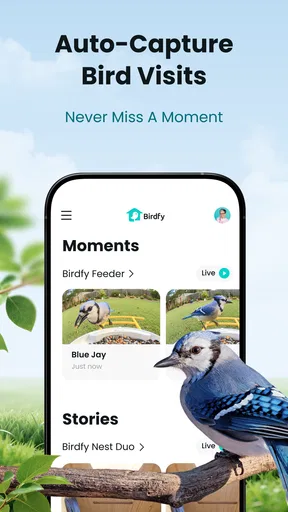
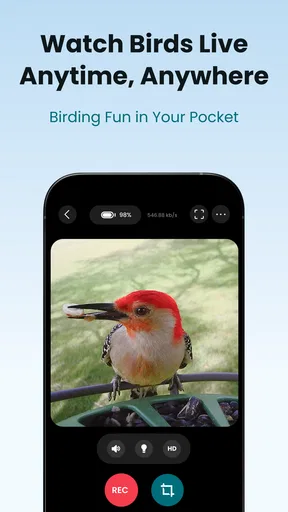
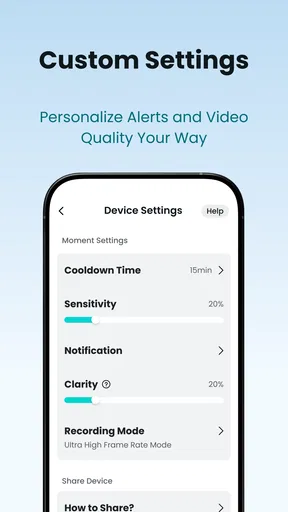
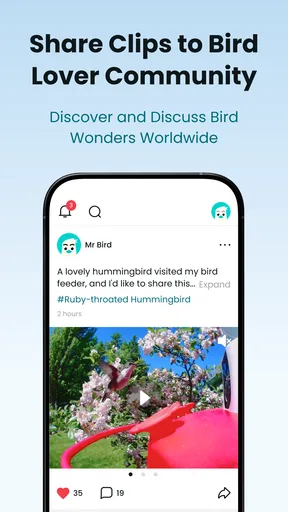
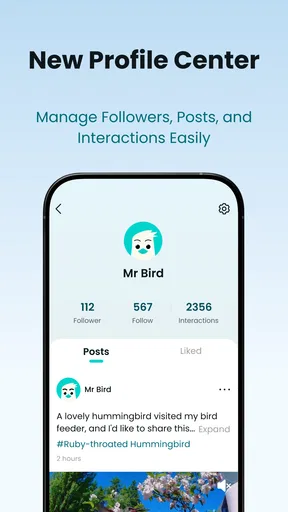
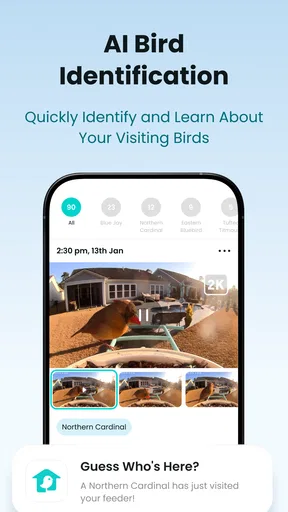
Our Review of Birdfy
 Analysis by Appyee
Birdfy is an app for people who would rather watch a quiet garden than another endless stream of short videos. Developed by Netvue, Inc., it sits in the video players and editors category, but its real appeal is more personal: it gives birdwatching a place on your phone. I found the experience most enjoyable when I treated it as a companion to a bird camera or an existing birdwatching routine, not as a general-purpose video editor.
The first thing to understand is the app’s role. Its store summary, “The Bird Side of Life,” sets the tone, while the short description simply calls it Birdfy. This is not an app I would install expecting timelines, filters, transitions, or the editing depth of a dedicated video tool. Instead, it is aimed at viewing and engaging with bird-related video content in a more focused way. That narrow purpose is also its strongest quality: there is less noise when your goal is to notice what is happening around a feeder.
I tested it with the mindset of a first-time user who wants a useful result quickly. The meaningful first success is not merely opening the app; it is reaching a point where you can comfortably watch a bird visit, review a clip, or make the app part of a daily observation habit. The path is fairly approachable, although your experience will depend on the camera setup and account connections you use alongside it.
What Birdfy feels like in everyday use
Birdfy works best in small moments. I can imagine checking it with morning coffee, opening it during a quiet break, or showing a child what is visiting the garden without standing outside in the cold. That makes it more than a novelty for bird enthusiasts. It can also suit families, casual nature watchers, and anyone who enjoys turning a small outdoor space into something worth observing.
The app is free to install, which makes experimenting easy. It is rated for Everyone, and it requires Android 7.0 or later on Android devices. The current version is 1.20.10. Those details matter to a first-time user because Birdfy is not presented as a specialist tool that demands a recent flagship phone or an advanced technical background.
Its average rating is 4.3 from around 1.4 thousand ratings, with roughly 818 written reviews and over 100 thousand installs. I would read that as a sign of a reasonably established app rather than proof that every setup will feel effortless. Bird camera products can involve several moving parts, so the quality of the overall experience is shaped by more than the app itself.
The interface makes the most sense when you think in terms of observing rather than producing. A conventional video player gives you a file and playback controls. A conventional editor gives you a project and a timeline. Birdfy belongs closer to a dedicated viewing environment, where the value comes from keeping bird-related video accessible and turning brief visits into something you can revisit.
That focus is helpful, but it also creates a clear boundary. If your main goal is to cut a travel video, add captions, correct colors, or export polished social media clips, I would choose a normal editor instead. Birdfy should not replace those tools. Its purpose is narrower and more relaxing.
Who will get the most from it
I would recommend Birdfy to someone who already has a compatible bird-focused camera or is considering building a simple birdwatching station. It is especially appealing if you want to check activity remotely instead of waiting beside a window. It can also be useful for people who enjoy reviewing small moments later, since bird visits are often too quick to appreciate in real time.
It is less suitable for someone who wants a broad social video platform, a professional editing suite, or a completely self-contained bird identification guide. The app’s value comes from the bird-video experience around it. Without that interest, the focused design may feel limited rather than calming.
One practical advantage is that it encourages observation without demanding a long session. I would rather spend a few minutes noticing which birds appear at different times than feel obliged to monitor a screen continuously. That makes the app easier to fit into a normal day, especially for users who want a gentle hobby rather than another attention-heavy service.
Getting from installation to the first useful result
After installing Birdfy, I would begin by deciding what I want to accomplish before exploring every screen. If you are connecting it to a bird camera, keep the camera, its power source, and the phone nearby. If you are simply investigating the app, start by looking for the main viewing area and learning how the app presents available video. This simple approach prevents the first session from becoming a hunt through unrelated menus.
The first setup is easier when you treat it as a sequence: open the app, follow its account or device prompts, allow only the access you are comfortable granting, and confirm that the relevant video source appears. I would not rush through a pairing screen. If a camera is involved, check that it is powered and positioned where it can actually see the feeder or garden area. A perfect app cannot show useful footage from a camera aimed at a wall or blocked by glare.
For a first-time user, the most important setup decision is placement. Put the camera where bird activity is likely, but also consider whether branches, bright sky, or a nearby surface will dominate the image. This is a physical-world issue rather than an app setting, and it is easy to blame the software for footage that is really caused by the environment.
Once the source is available, I would spend a minute learning the difference between watching what is happening now and reviewing something already captured. That distinction is easy to overlook in a camera companion app. Live viewing is useful when you are waiting for activity; recorded viewing is better when you want to inspect a brief visit without staying on screen.
The first meaningful success should be deliberately modest. Wait for one clear bird visit, watch it through without immediately changing settings, and then revisit the same moment if the app makes that possible in your setup. This gives you a practical sense of image quality, responsiveness, and how comfortable the viewing controls feel. It also tells you whether the camera position needs adjustment.
A realistic example would be a parent setting up a feeder before school. Rather than promising a child that a bird will appear immediately, I would use Birdfy later in the morning to check whether the feeder has attracted anything. If a visit occurred, the child can watch it after breakfast. That workflow is more satisfying than constant live checking because it turns an unpredictable event into a small shared discovery.
Small habits that make the first week better
I recommend checking at different parts of the day before deciding that the feeder is inactive. Bird activity is naturally uneven, and a single empty viewing session says very little. Use the app as a way to sample the environment, not as a guarantee that something interesting will be visible whenever you open it.
Another useful habit is to change one physical factor at a time. If the view is poor, first adjust the camera angle, then observe the result before moving the feeder or changing the background. This makes troubleshooting much clearer. Otherwise, several changes can leave you unsure which one improved or worsened the image.
If you share the phone with family members, agree on a simple routine for checking the app. One person can watch live activity while another reviews earlier footage, but repeatedly changing settings or disconnecting devices can create unnecessary confusion. A calm, consistent routine is more valuable than constant experimentation.
I also found that Birdfy is better appreciated on a larger, calmer viewing session than through frantic repeated openings. Give yourself enough time to understand what you are seeing. Birdwatching is partly about waiting, and an app cannot remove that element without removing some of the charm.
Where new users may hesitate
The most common confusion is expecting Birdfy to behave like a standard gallery or editor. Its bird-centered purpose means the important question is not “Which effect should I apply?” but “Which view or recording should I watch?” Once that mental shift is made, the app becomes easier to understand. If you keep looking for editing tools, you may conclude that something is missing when the product is simply designed for a different job.
Another possible friction point is the relationship between the app and the physical camera. If no useful video appears, check the real-world setup before repeatedly reinstalling the application. Power, positioning, network conditions, and the distance between the camera and your viewing location can all affect the experience. I would troubleshoot in that order because it is faster than changing several app options at once.
It is also worth separating the free download from optional spending. Birdfy is free, but in-app purchases range from $2.49 to $104.99 per item. That is a wide range, so I would review any purchase screen carefully and decide what you actually need before confirming anything. A first-time user can explore the basic experience without treating every optional item as essential.
That pricing structure is the main reason I would encourage a measured start. Use the free app, understand your viewing routine, and only then consider whether an optional purchase adds meaningful value to your particular setup. Someone who checks bird activity occasionally may have very different needs from a dedicated enthusiast who wants a more involved system.
I would also avoid judging the app solely on the number of birds you see during the first day. Bird activity depends on the location, season, weather, food, shelter, and how comfortable birds feel around the camera. The app can help you view what happens, but it cannot manufacture activity. Setting that expectation early makes the experience more enjoyable.
How it compares with familiar alternatives
Compared with a phone’s default camera app, Birdfy offers a more focused reason to return. A standard camera can record a bird if you happen to be holding the phone at the right moment, but it is not built around watching a fixed outdoor viewpoint. Birdfy makes more sense when the camera is already positioned and the goal is observation rather than spontaneous filming.
Compared with a general video player, it is less flexible but more purposeful. A general player is better for movies, downloaded clips, and mixed media libraries. Birdfy is the better choice when you want bird-related viewing to feel like its own activity instead of another folder among hundreds of videos.
Compared with a full video editor, Birdfy is intentionally limited. An editor wins when you need trimming, music, captions, transitions, or export control. Birdfy wins when those tasks would only distract from seeing what visited the feeder. Choosing between them depends on whether your priority is documenting a polished video or enjoying the observation itself.
Compared with manual birdwatching through binoculars, the app adds convenience and replay. You can check without standing at the window and may revisit a moment that passed too quickly. Binoculars still offer a more immediate outdoor experience, however, and they do not depend on a phone interface or camera connection. I see Birdfy as a complement to that hobby, not a replacement for being outside.
What to do after the first successful viewing
Once the basic experience works, the next step is to create a repeatable routine. Check the app at a few predictable times, notice when activity seems strongest, and use that knowledge to decide when live viewing is worth your attention. This turns Birdfy from an app you open randomly into a small observation tool.
You can also use the first successful clip as a setup test. Ask yourself whether the bird is easy to see, whether the framing leaves enough space around the feeder, and whether the view remains useful when the light changes. If the answer is no, improve the camera’s physical position before looking for a software solution.
For families, I would make the activity collaborative. Let one person describe what they notice while another handles the phone. Children often enjoy the waiting and guessing as much as the final sighting, but the experience works better when the app is not treated as a fast entertainment feed. A short conversation about behavior, size, or timing gives the footage more value.
For a more serious hobbyist, Birdfy can become a convenient viewing point between outdoor sessions. You might use it to decide whether a particular location deserves a longer visit, or to check whether a feeder placement is attracting any activity before investing more time in observation. The trade-off is that remote viewing can make the hobby feel more screen-based, so I would balance it with time away from the phone.
One non-obvious benefit is that the app can help you notice patterns you would otherwise miss. A bird that appears only briefly may be easy to overlook from a window, while revisiting video can reveal that the visit happened at a predictable time. Even without turning the hobby into formal recordkeeping, that awareness can guide better feeder placement and more patient observation.
There is also a useful discipline in not changing everything after an uninteresting session. Keep the setup stable long enough to learn its normal behavior. If you move the feeder, alter the camera angle, and change the viewing schedule simultaneously, you lose the ability to tell what caused a difference. Birdfy is most rewarding when paired with this kind of simple, methodical experimentation.
My recommendation after using it
I see Birdfy as a focused companion for birdwatching rather than a broad video application. Its free entry point, Everyone age rating, and support for Android 7.0 or later make it approachable, while the bird-centered design gives it a clear identity. The developer, Netvue, Inc., has built an experience aimed at making outdoor activity easier to watch from a phone, and that goal comes through more clearly once the camera and viewing routine are in place.
I would recommend it to first-time bird-camera users who want a gentle path from installation to their first memorable sighting. Start with the free experience, make the physical setup sensible, and judge it after you have seen how it fits your daily routine. Do not buy optional items simply because they appear during exploration; decide based on a real need.
I would skip it if you are searching for professional video editing, a general media library, or an app that guarantees constant wildlife activity. Those expectations point toward a different category of tool. Birdfy is at its best when you accept its narrower purpose: helping you notice, check, and revisit the bird life around a particular place.
My final impression is positive, with one important qualification. The app can make birdwatching more accessible and easier to share, but the quality of the experience still depends on patience, placement, and the camera environment. If you are willing to give those parts some attention, Birdfy offers a pleasant way to bring a little more of the outdoors into an ordinary day.
Verdict
Strengths of Birdfy
- Live bird identification makes backyard sightings more engaging.
- Supports multiple camera views for monitoring different feeding areas.
- Motion alerts help users notice visits they might otherwise miss.
- Bird activity history makes it easy to review recurring visitors.
- Suitable for families and beginners with a simple, visual interface.
Limitations of Birdfy
- Some advanced features require compatible Birdfy hardware.
- Cloud storage and premium functions may involve ongoing subscription fees.
- Identification accuracy can vary with poor lighting or unusual bird angles.
- Frequent alerts may become distracting in busy feeding areas.
- Reliable use depends on a stable Wi-Fi connection outdoors.
Similar Picks in This Category
View All
Google TV
Google LLC3.9

iTunes
Apple4.7

YouTube
Google LLC3.8

MX Player
Amazon Mobile LLC4.2

CapCut - Video Editor
Bytedance Pte. Ltd.3.5

PLAYit-All in One Video Player
PLAYIT TECHNOLOGY PTE. LTD.4.5
Frequently Asked Questions
What is Birdfy, and what can I use it for?
Birdfy is a smart bird-feeder ecosystem and companion app designed to help you identify, watch, and record visiting birds. When paired with a compatible Birdfy camera feeder, the app can provide live video, motion alerts, photo and video storage, and bird-recognition features. It is mainly intended for birdwatching at home, although available functions can vary by feeder model, region, firmware, and subscription plan.
Does Birdfy work without a Birdfy camera feeder?
The app is most useful when connected to a compatible Birdfy smart feeder or camera, so downloading it alone does not provide the complete experience. You generally need to create an account, connect the feeder to Wi-Fi, and complete the in-app setup before viewing live footage or receiving notifications. Check the exact product listing and compatibility information before purchasing, especially if you already own an older Birdfy device.
Does Birdfy identify birds automatically, and how accurate is it?
Birdfy may use artificial intelligence to recognize birds captured by a compatible camera and display a suggested species name. In testing this type of feature, results can depend on image quality, lighting, viewing angle, bird behavior, and the species available in the recognition database. Treat identifications as helpful suggestions rather than guaranteed expert results, and confirm unusual or uncertain sightings with a reliable bird guide.
Does Birdfy require a subscription or include extra costs?
Some Birdfy features may be available without an ongoing subscription, while advanced services such as extended cloud storage, enhanced bird recognition, or additional history can depend on the device and plan selected. The exact limits and pricing may change over time. Before downloading or buying hardware, review the current app-store description, product documentation, and subscription screen so you understand which features are free and which require payment.
What should I know about privacy, Wi-Fi, and notifications before using Birdfy?
Birdfy requires network access to connect the smart feeder, stream camera footage, synchronize recordings, and send alerts to your phone. Because the camera operates outdoors, choose its position carefully and avoid pointing it toward areas where neighbors or private activity could be recorded. You should also review the app’s permissions, account settings, cloud-storage policy, and notification controls, since frequent motion alerts can affect battery life and become distracting.
